

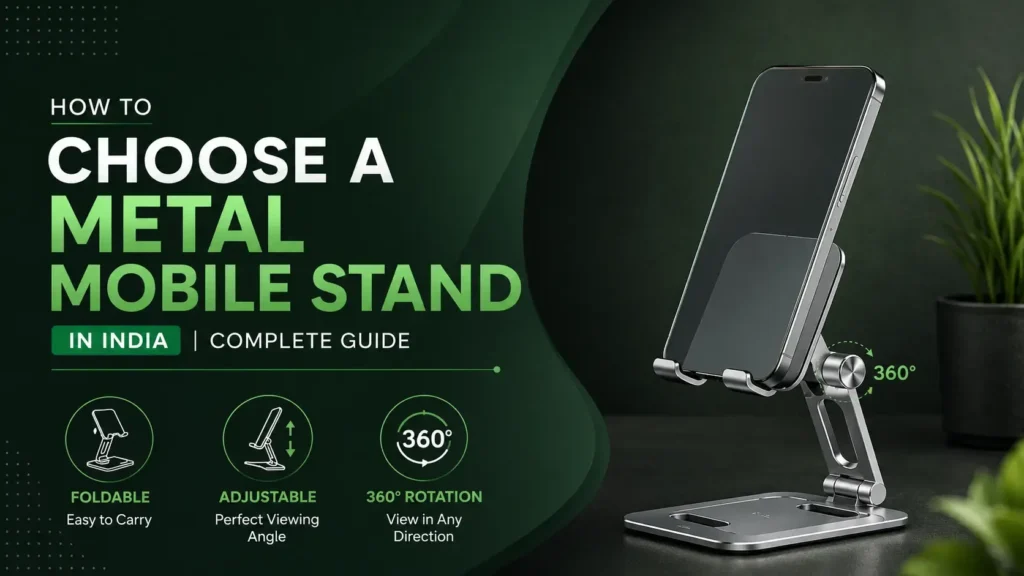
Most people in India who work or study from a desk have the same setup problem: the phone is always somewhere inconvenient. Either it is flat on the table and you are craning your neck down to check it, or it is propped against something improvised and falls over at the worst moment, or it is in your hand during a video call because no stand you have tried actually positions it correctly. The good news is that this is a completely solvable problem and it does not require spending a lot of money or cluttering up the desk with multiple gadgets.
A well-chosen metal mobile stand, the right cable for fast charging, and a few minutes of placement thought are all it takes to turn your desk from a phone-juggling setup into a genuinely efficient hands-free station. This guide covers all three parts.
Choosing the Right Stand as the Foundation of Your Setup
The stand is the most important decision because everything else where cables run, how the phone charges while on the stand, how far you need to reach during a call depends on where and how the phone is positioned. The two most common mistakes Indian desk users make when buying a stand are choosing a fixed design when they needed rotation, and choosing a desk-level height when they needed camera elevation for video calls.
For a dedicated desk setup that stays in one place, the right starting point is a 360-degree aluminum stand. It rotates the phone to any horizontal angle without lifting the base, which removes the constant micro-action of picking up and repositioning every time you need to face the screen toward a different direction. Combined with a vertical tilt adjustment, the phone can face any direction at any angle set the tilt once for your preferred viewing posture and rotate freely throughout the day. The portable phone stand for travel India from GrunX (the Vista model) also works well for desk use on kitchen counters and other surfaces that vibrate, because its damping gasket design absorbs micro-vibrations that would otherwise cause a standard stand to creep across the surface.
For video call users specifically, camera height is the one feature that changes everything. A phone sitting on a standard desk stand points the camera upward from approximately 10–15cm above the desk which produces an upward angle on your face that looks unflattering on screen and subtly signals inattentiveness to whoever you are speaking with. Raising the camera to eye level (30–40cm above desk surface when seated) by using a gooseneck or height-adjustable arm fixes this completely. The difference is visible to everyone on the call immediately. For students using the phone as a secondary screen alongside a laptop, a 360-degree desktop stand at slightly elevated height positions the phone screen in the peripheral view without blocking the laptop display. Check the full metal mobile stands and laptop holders India collection to compare the full lineup before deciding.
Desk Use Case | Right Stand Type | Key Feature to Verify |
Video calls from home or office | Gooseneck / adjustable arm | Camera reaches eye level (30–40cm above desk) |
Shared desk – multiple viewers | 360-degree aluminum stand | Full horizontal rotation without base lift |
Kitchen counter or vibrating surface | Portable with damping gasket | Non-slip base rated for tile surfaces |
Student secondary screen setup | Desktop 360-degree | Stable enough for side-of-desk placement |
Daily commuter carry | Foldable slim under 10mm | Hinge locks firmly, base does not tip |
MacBook + iPad elevation | Steel foldable laptop stand | Device weight rating above 1kg |
Setting Up the Stand, Cables, and Charging Together
A good desk phone station is not just about stand position it is about how the phone integrates with your other devices without creating cable clutter or requiring you to unplug and replug every time you switch tasks. Getting this right takes about five minutes of planning and makes a visible difference to how tidy and functional the desk feels.
Stand position: Place the stand at the side of the laptop, not in front of it, so the phone screen is in your peripheral view during work and easy to reach during calls without moving the laptop or keyboard. If you are using a gooseneck stand, position the arm base behind the laptop so the arm extends over the top rather than adding desk footprint in front of the keyboard.
Cable routing: A stand that has a cable channel or notch at the base keeps the charging cable running tidily downward without looping across the desk surface. If your stand does not have a cable channel, a small adhesive cable clip on the stand leg achieves the same result. Run the cable along the back edge of the desk to the nearest charging point rather than across the desk surface.
Charging while on the stand: For the stand to be genuinely useful during long desk sessions, the phone should be able to charge while sitting in it. This means the stand design must not block the charging port — check before buying whether the stand supports bottom-charging for your specific device. For MacBook and iPad users who also want the phone charging from the same power source, a single high-wattage cable can handle multiple devices from one adapter. For anyone choosing between cable wattages for their desk setup, GrunX has a detailed breakdown of 100W vs 240W USB-C cables covering which one makes sense for which combination of devices.
- Position the stand at desk side, not directly in front of the keyboard
- Use a gooseneck arm base placed behind the laptop, extending the arm forward
- Route cables along the back edge of the desk to keep the surface clear
- Choose a stand that does not block the phone’s charging port from below
- A single 100W or 240W USB-C cable from one GaN adapter can charge phone, iPad, and MacBook simultaneously
- For shared desks, 360-degree rotation removes the need to reposition the stand throughout the day
- Test the hinge stability by pressing the phone screen with one finger any give means the hinge will loosen over time
Adding the Right Accessories to Complete the Setup
Once the stand and cabling are sorted, two additional accessories complete a functional Indian desk phone station: a fast charging solution that keeps the phone charged through long work sessions, and a cable that handles multiple devices without needing to be swapped between them.
For users whose desk setup includes both a Samsung phone and a laptop, the cable choice matters more than most people realize. Not all USB-C cables carry the wattage they claim on the label a cable sold as a fast charging cable that actually delivers a fraction of the rated wattage is one of the most common problems Indian buyers encounter on marketplace platforms. GrunX has covered this in detail in their guide on best Samsung fast charging cable India, which explains exactly what makes a cable capable of Samsung Super Fast Charging and how to verify before buying.
For users who also want to elevate a MacBook or large iPad as part of the same desk setup, the foldable laptop and MacBook stand India from GrunX (the Rock model) uses a steel build rated for heavier devices, folds flat for portability, and adjusts to multiple height positions. Used together with a 360-degree phone stand and a high-wattage single cable, this combination covers a phone, a MacBook, and an iPad from one clean, organized desk surface without requiring multiple adapters or cable runs. GrunX ships all stands with a 6-month warranty and free shipping above Rs 399, with the full range available at grunxstore.com.
Conclusion: A hands-free phone desk station in India does not need to be complicated or expensive. It needs the right stand type for your specific situation (foldable for travel, adjustable for video calls, 360-degree for shared desks), a cable rated to actually carry the wattage your devices need, and a layout that keeps cables tidy and the phone accessible without interrupting your workflow. Get these three elements right and your desk setup improves from the first day and keeps working reliably through Indian summers, monsoon humidity, and years of daily use.